zoho.com
1) Go to the zoho.com and log-in your e-mail.
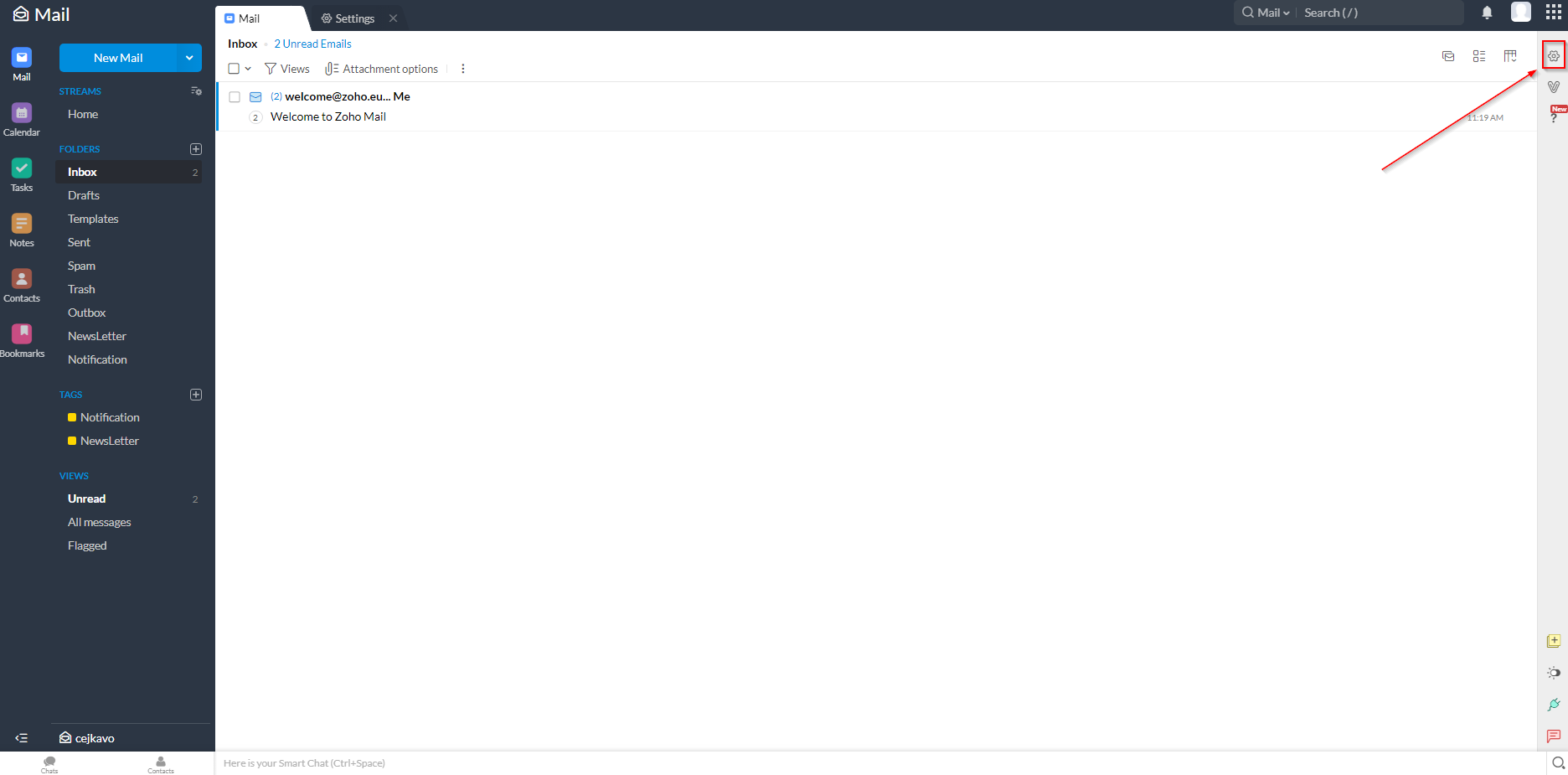
2) Go to the Settings (Top-right corner) 
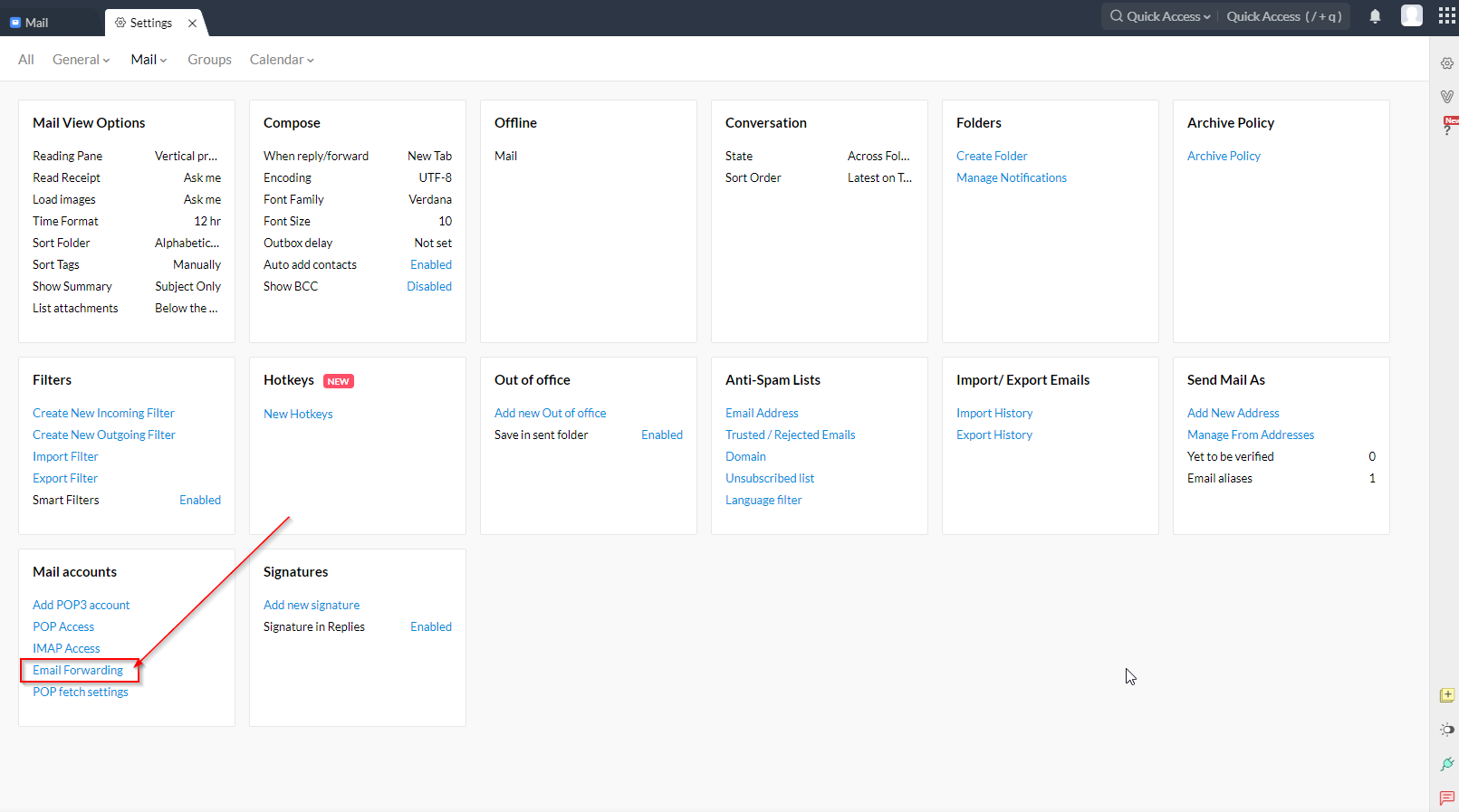
3) In the Settings select “E-mail forwarding”
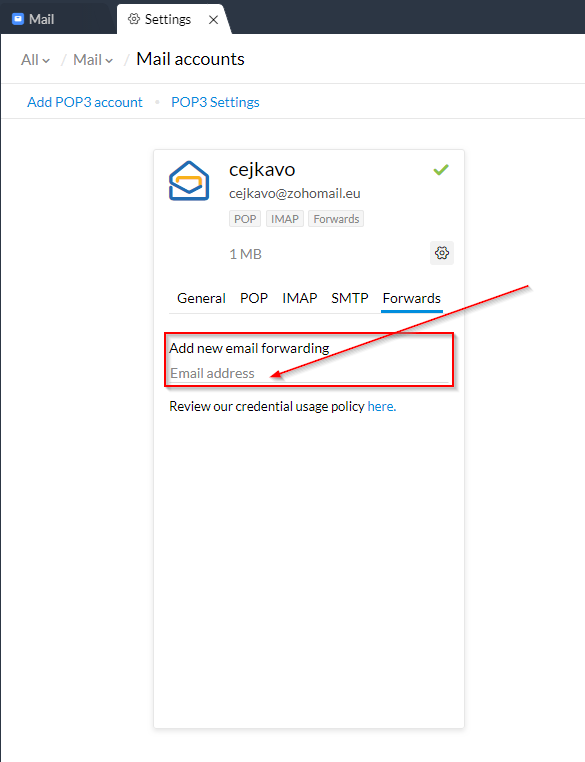
4) Fill in your TimeMaker e-mail
How to find your TimeMaker e-mail address is described here.
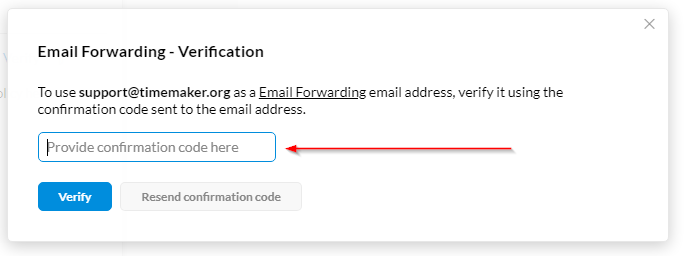
5) Check your TimeMaker for the confirmation code and copy it.
6) Enter the Verification code into ZohoMail and press “Verify”
7) Done
More informations how to forward into Zoho can be found here.