Language install
Hello,
In this guide we will show you how to install additional language to Timemaker software.
You can install these languages:
English (default)
Hebrew
Spanish
German
Mongolian
Czech
Slovak
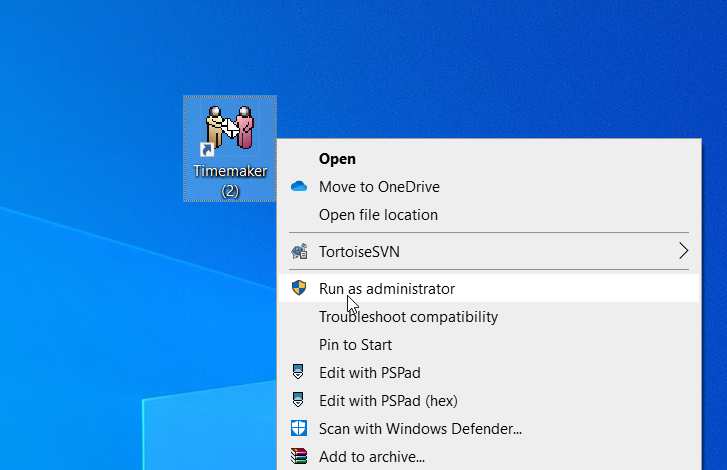
1) First of all, you have to once run Timemaker as administrator. You can do it by right clicking on Timemaker icon and select Run as administrator
2) after timemaker opens, click on TM installer field, in bottom of Timemaker
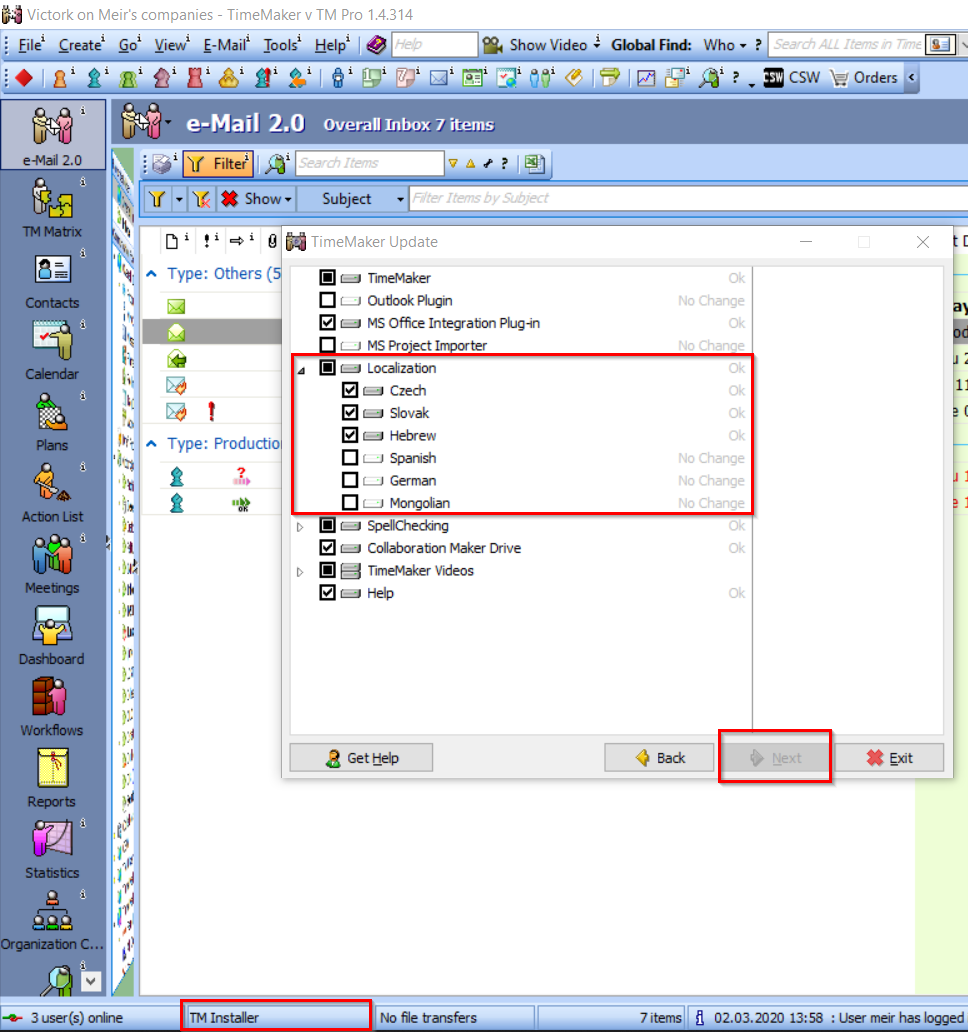
3) now, choose localization you want to install and click Next
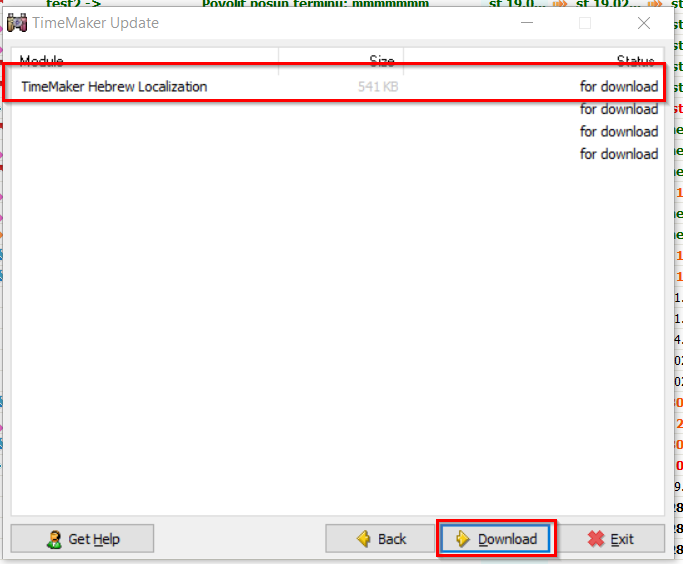
4) another window will open, click on Download button, to start downloading and installing the language
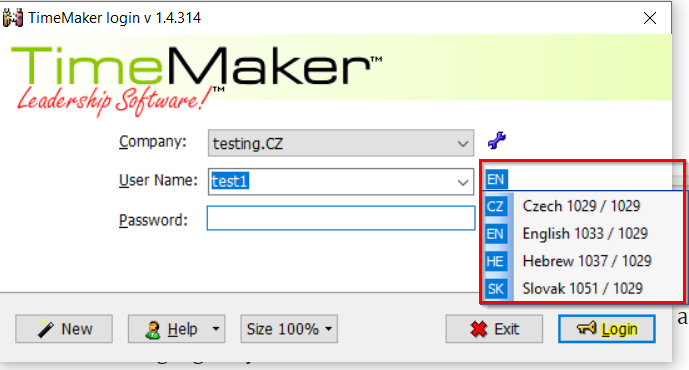
5) after installation is complete, new instance of Timemaker will open and you can select language of your choice here:’
If you have any issues installing language, please contact live support.