Email association
For your non-timemaker email to be able send emails from Timemaker software you have to make email association.
For that go to:
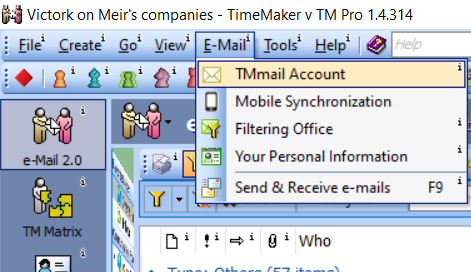
1. Files -> Email -> TMmail Account
2. Click on Add another email address.
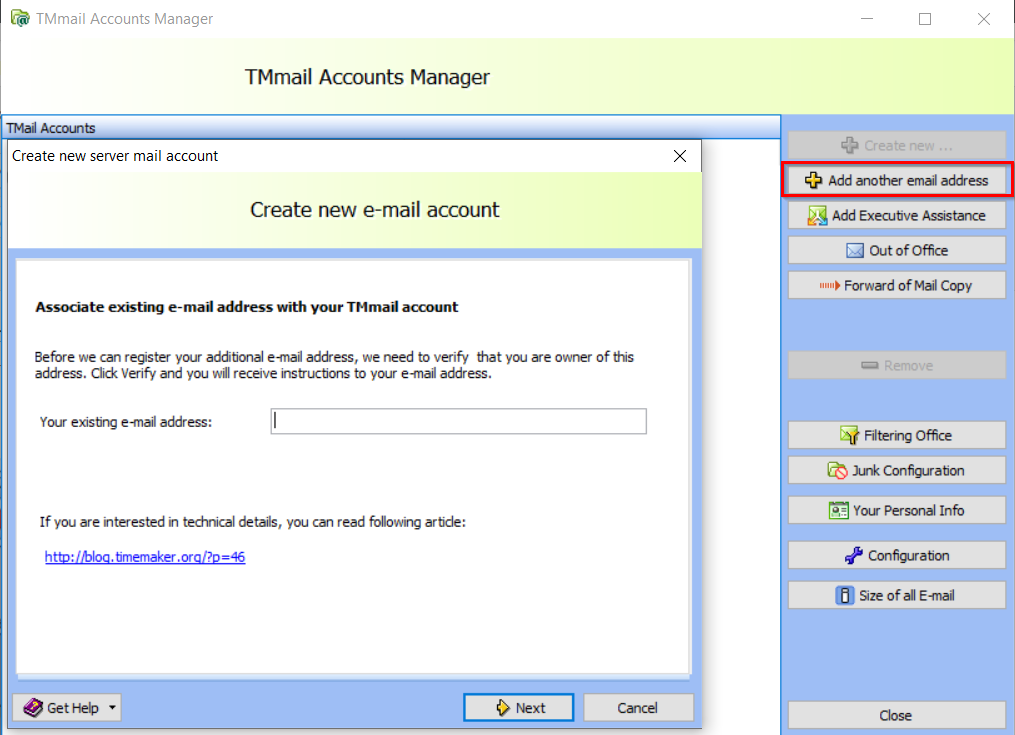
3. Fill your existing email address here and click on next.
Go to webpage of your exisiting e-mail address. Open e-mail delivered from Timemaker and click on link inside of that email. Now is association complete.