Filtering Office
What is it?
The Filtering Office is an advanced tool used to define the routing of emails to Folders. There are 4 types of routing:
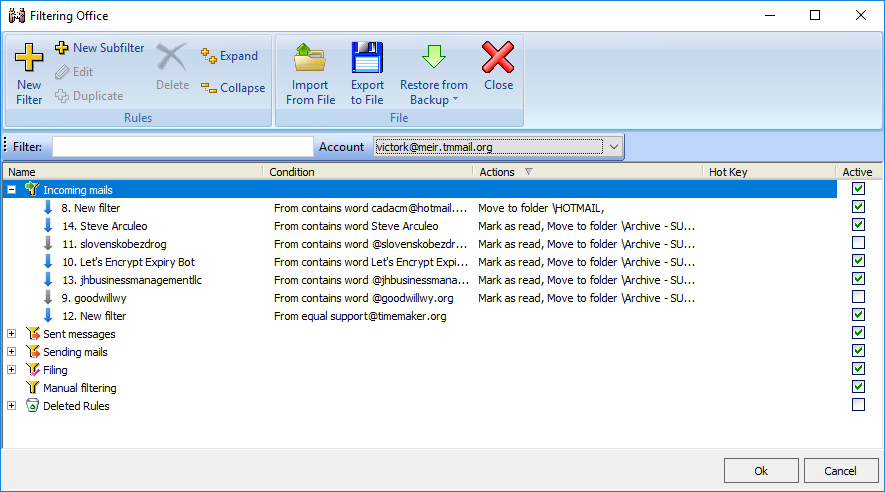
1) Automatic routing of outgoing e-mails based on User Defined Rules,
2) Automatic routing of incoming e-mails based on User Defined Rules,
3) Close communication rules – Rules allowing you to quickly file e-mails to
one or more Folders by a click of a button, and
4) Manual filtering used for re-filtering or applying the defined filters to a
Folders based on the Routing Rules.
What happens if clicked?
From the Filtering Office you can define and manage rules in regard to the routing of incoming, outgoing and completed e-mails and TimeMaker Message .