Displaying Overdue AL Items – Tomorrow`s Action List
An Overdue Action List Item is an Action List Item for which the Target Date is a date before the current date.
Today is the current date according to your computer.
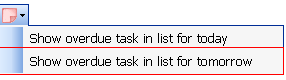
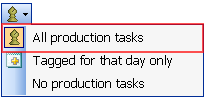
Note: These options are available only when the All Production Items option is selected under the Which Production Tasks to Display menu.
What is it?
A tool that allows you to define when overdue Action List Items will be presented.
You have the following options:
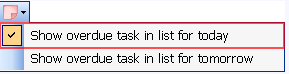
- Show Overdue Action List Items – Today.
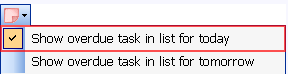
Selecting this option will display overdue items in Today’s Action List when Today (current date) is selected on the calendar.
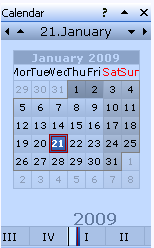
Action List
When any other date is selected on the Calendar, only items that are due on the selected date will be displayed.
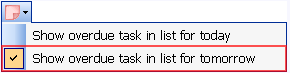
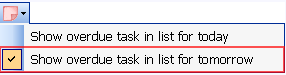
- Show Overdue Action List Items – Tomorrow.
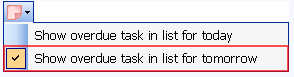
Selecting this option will display overdue Action List Items in Tomorrow’s Action List when you select Tomorrow on the Calendar.
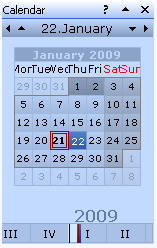
When any other date is selected on the Calendar, only items that are due on the selected date will be displayed.
- Select both Show Overdue Action List Items – Today and Show Overdue Action List Items – Tomorrow.
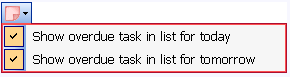
Selecting this option will display all overdue items when you select Today or Tomorrow on the calendar.
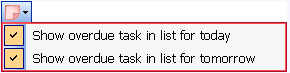
You will also see all overdue items. When any other date is selected on the Calendar, only items that are due on the selected date will be displayed.
What happens if clicked?
Select one of the following options:
To display Overdue Action List Items on today’s Action List, select Overdue Actions List Items – Today.
To display Overdue Action List Items on tomorrow’s Action List, select Overdue Actions List Items – Tomorrow.
To display Overdue Action List Items on the Action List for Today and Tomorrow,, select Overdue Actions List Items – Today AND Overdue Actions List Items – Tomorrow.