Type field
Description
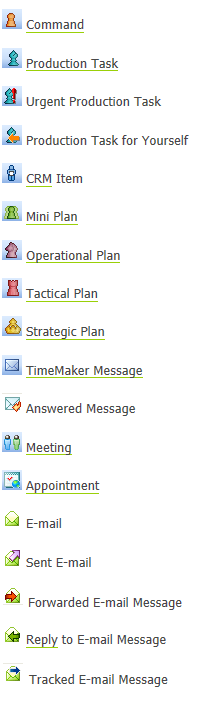
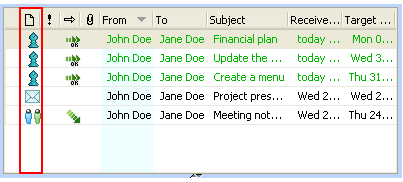
Shows an icon of the item. So you can see whether it is Production Task, Command, TimeMaker Message or Plan, etc.
What happens if clicked?
The list of items is sorted according to this column.
Type refers to the type of TimeMaker item. That column displays an icon which represents the type of TimeMaker item.
The following are the icons and the corresponding TimeMaker items: