Blend Seniors
What is it?
In Public Folder, when you assign rights to a user that has a Senior(s), the TimeMaker system will automatically grant the same rights to the Senior.
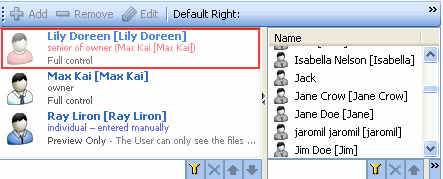
This tool allows you to display the Seniors added icon and text in a dim red color.
What happens if clicked?
The Seniors of the TimeMaker users granted User Rights will be displayed in a dim red color.
Note: The Blend Seniors option is checked by default.